
![[Samsung] Always On Display icon](https://go.getnew.app/sg/res/jpg/43/9b/7176b5b77fd94c2d58c8fcb74c99-3l3.jpg)

![[Samsung] Always On Display screenshot 1](https://go.getnew.app/sg/res/jpg/52/da/d7d87b6b1d89f3bbc2c04f93fa71-1wt.jpg)
![[Samsung] Always On Display screenshot 2](https://go.getnew.app/sg/res/jpg/ee/b3/4039c2fe4c43b9a6fff33fd9ffee-wjv.jpg)
![[Samsung] Always On Display screenshot 3](https://go.getnew.app/sg/res/jpg/a3/82/4d2acab42b608e23048766f7fb5f-6lu.jpg)
![[Samsung] Always On Display screenshot 4](https://go.getnew.app/sg/res/jpg/f2/47/f3642992fa6958a75c002a7d5c87-avz.jpg)
![[Samsung] Always On Display screenshot 5](https://go.getnew.app/sg/res/jpg/68/5c/f940c0bb88db738cbcad1966323d-fd01.jpg)
![[Samsung] Always On Display screenshot 6](https://go.getnew.app/sg/res/jpg/df/18/94eeee69ec65f09a849e0aeb30bd-pe71.jpg)
- This update version supports devices with R OS or higher.
- Depending on the device environment, the update may not be supported on the Google Play Store.
- If this is the case, please upgrade the software to R OS or check the Galaxy Store as well.
Find useful information quickly and easily on the Always On Display without turning the screen on.
▷ Just tap to show AOD.
- Tap only when necessary to view the clock and other useful information!
- You can choose to show AOD always while the screen is off, or only during set times.
- Configuration path: Settings > Lock screen > Always On Display
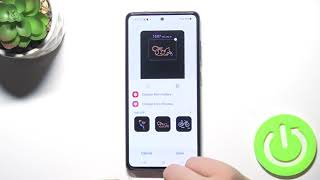
▷ A wide variety of clock styles are offered. Choose the clock style you want!
- Digital clock, analog clock, world clock, Edge clock, calendar, image, etc.
- Moving AGIF can also be set for the AOD screen.
- Setting route: Settings > Lock screen > Always On Display > Clock style
▷ You can check useful information and widgets without turning on the screen!
- Double-tap the clock area to experience various widgets on the AOD screen.
- Types of widgets: Music, weather, today’s schedule, next alarm, Digital Wellbeing, Bixby Routines, etc.
- Setting route: Settings > Lock screen > Widgets > Display on Always On Display
▷ AOD Themes
- Download AOD-exclusive themes from the Theme Store.
- Decorate your very own AOD screen using various themes.
▷ Adjust the brightness to four different levels!
- Use the AOD with the brightness you want at the moment you need it.
- Configuration path: Settings > Lock screen > Always On Display > Auto brightness
▷ Now AOD has landscape view too!
- Rotate your device to the desired orientation.
- Configuration path: Settings > Lock screen > Always On Display > Screen orientation
※ Certain features may not be supported on some models.
※ If you want to know more about Always On Display, submit your enquiry using Contact us in the app
The following access authority are required for service delivery:
[Required access authority]
- Storage space : Used to display images stored on the device on the AOD


![Get the Galaxy S7's 'Always On Display' Feature on Other Devices [How-To] screenshot 5](https://i.ytimg.com/vi/qHKPkUFIeBQ/mqdefault.jpg)






9Apps 4.9














